

This guide shows two ways to buy a US company stock on Binance: in the Stocks section and in the bStocks section. The screenshots are from the Binance website, and the step numbers match the labels on them.
You need at least $5 to buy: in USDC for Stocks or in USDT for bStocks.
How to buy Stocks #
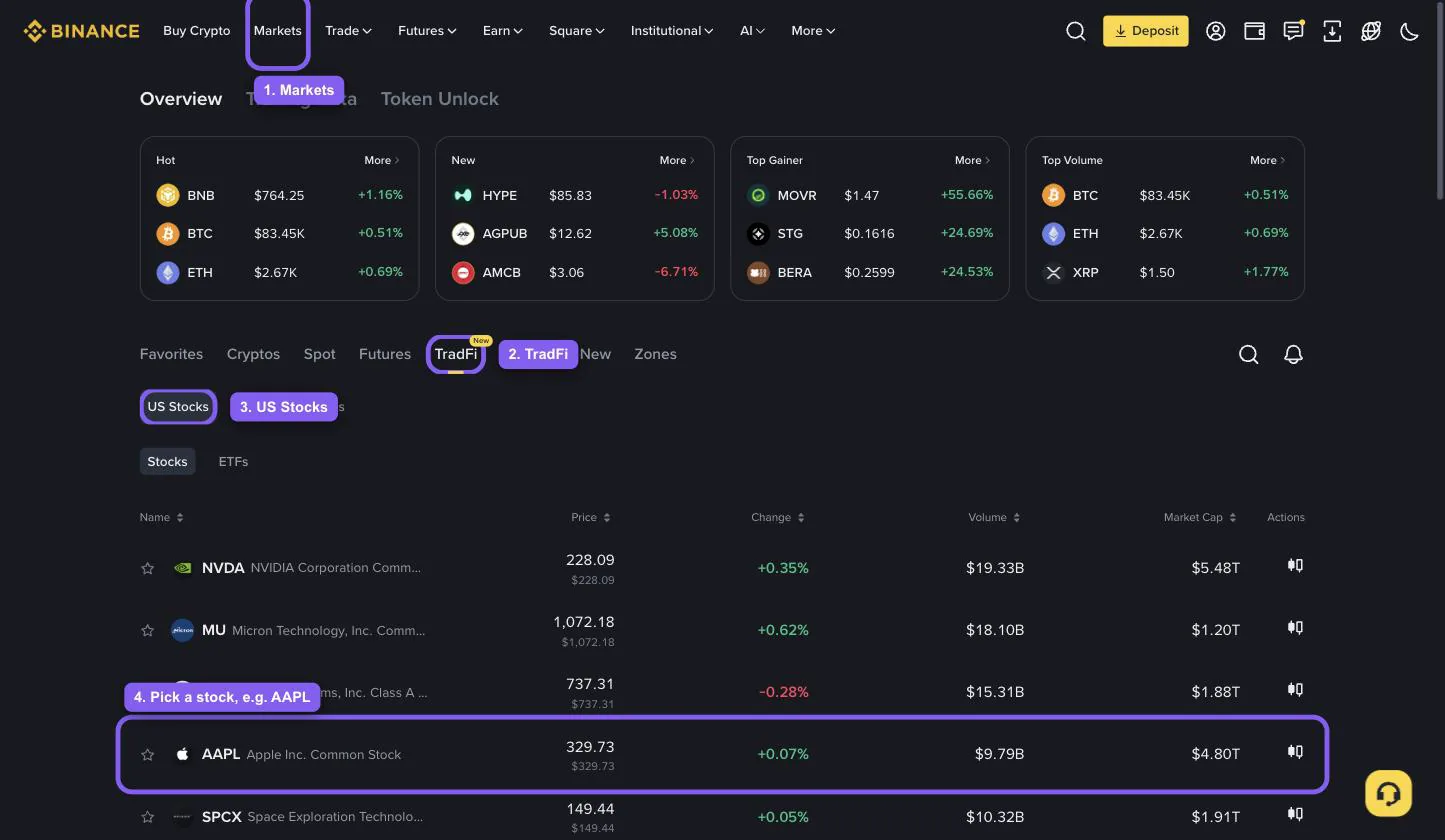
Click Markets in the top menu.
Open the TradFi tab.
Choose US Stocks.
Find the stock in the list or via search, for example AAPL (Apple), and open its page.
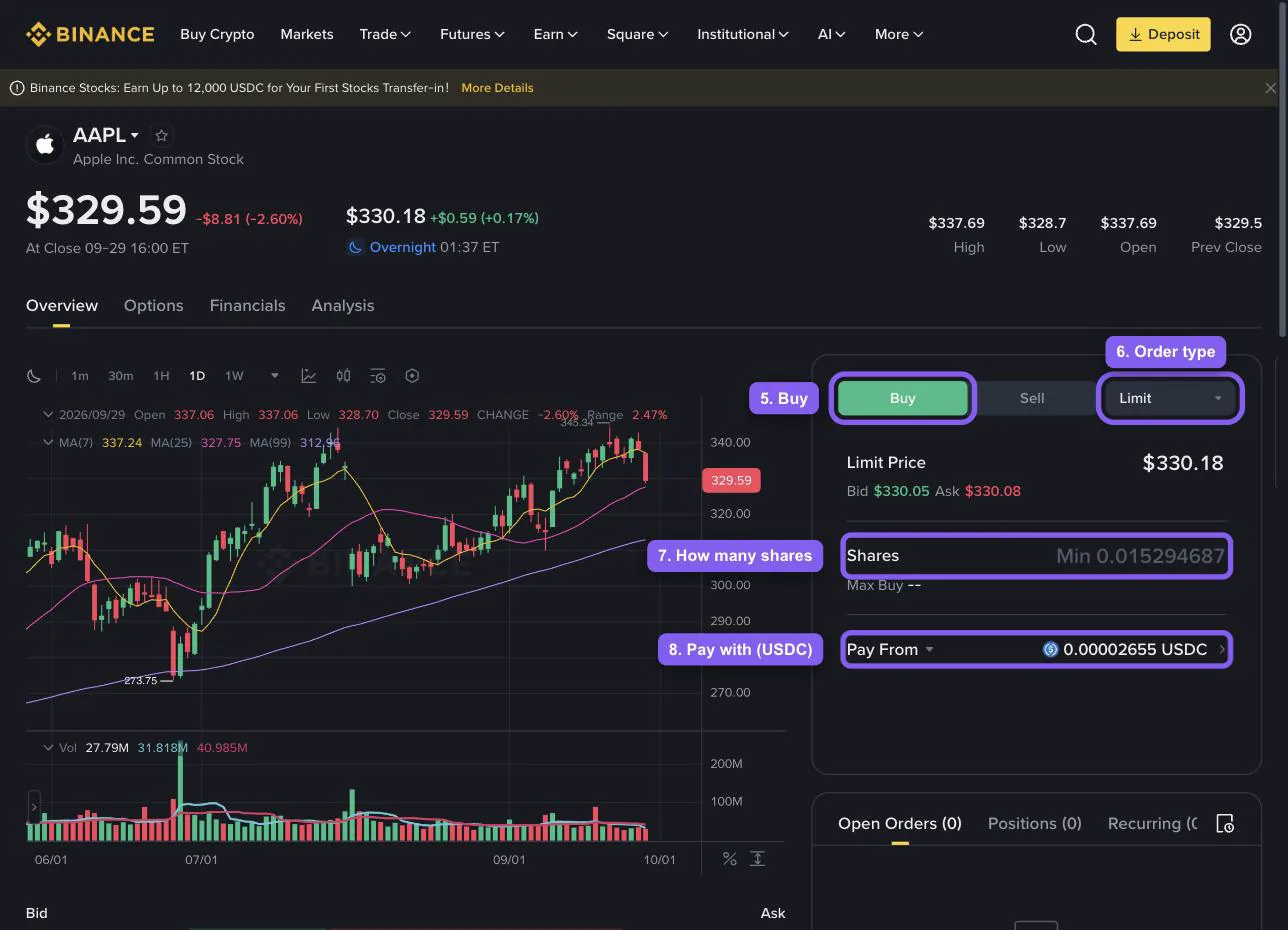
In the order form on the right, choose Buy.
Pick the order type. A market order buys right away at the current price, a limit order fills when the price reaches yours.
Enter how many shares to buy. You can buy a fraction of a share.
In the Pay From field, choose what to pay with. Trades settle in USDC, but if you hold USDT, BNB, USD1 or U, Binance converts them to USDC for you.
Click Buy and confirm the order. The stock appears in the Stocks section, and the trade settles on the next trading day (T+1).
In the mobile app, the path is Trade → Stocks.
How to buy bStocks #
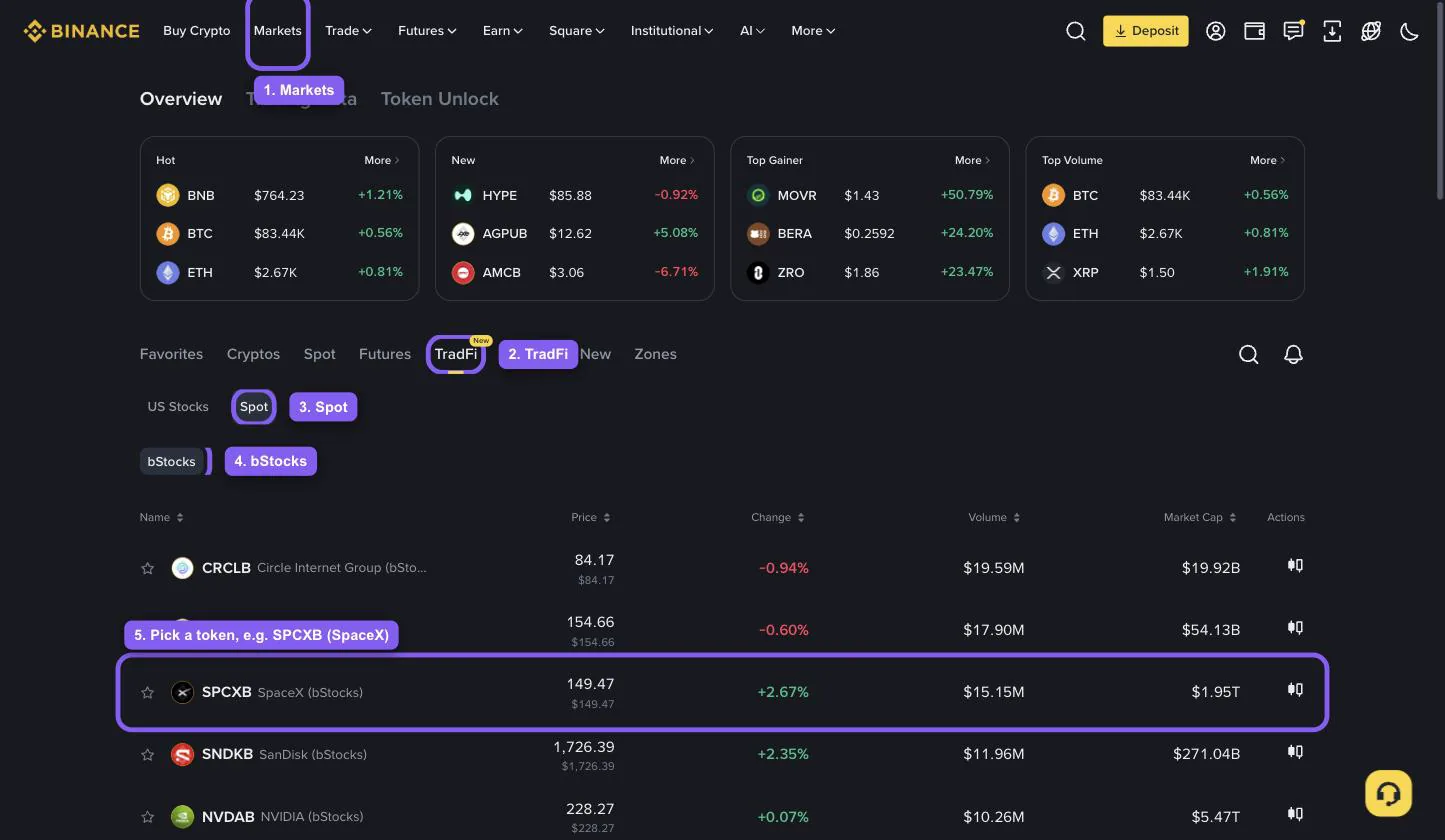
Click Markets in the top menu.
Open the TradFi tab.
Choose Spot.
Make sure the bStocks filter is on: the list will show only tokenized stocks.
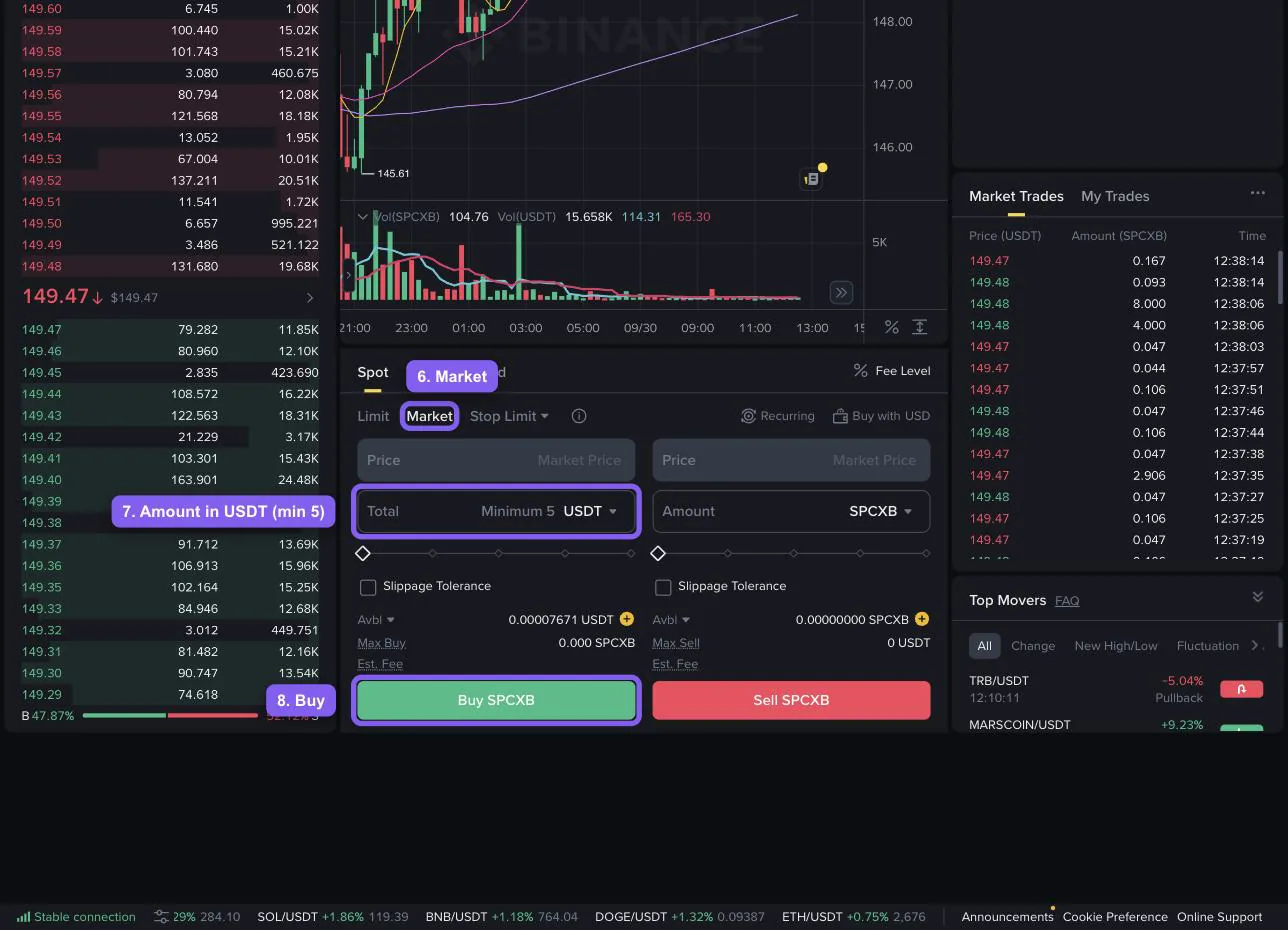
Pick a token, for example SPCXB (SpaceX), and click it. Spot trading against USDT opens.
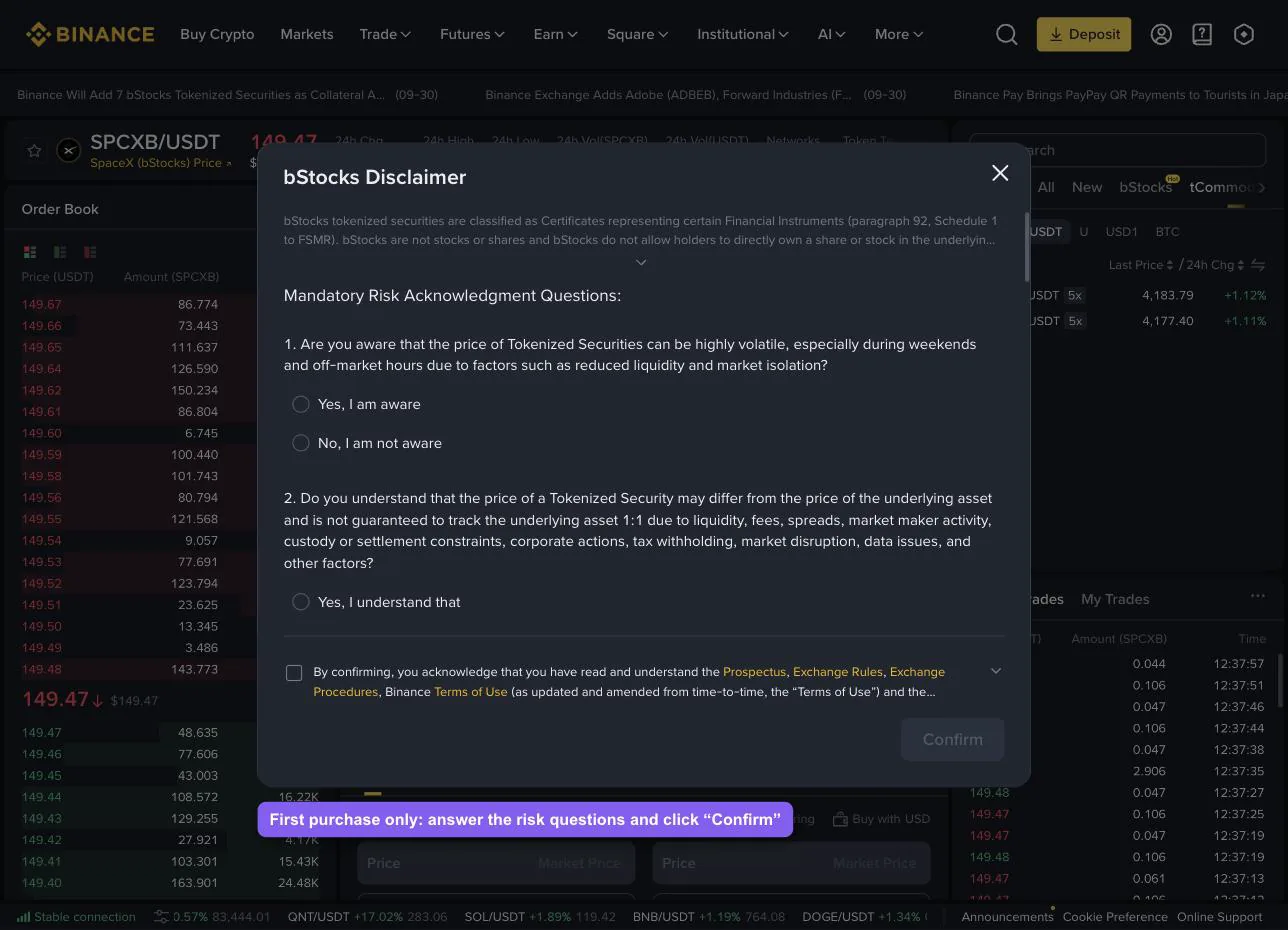
The first time, Binance shows the bStocks Disclaimer window. Answer the risk questions, tick the agreement box and click Confirm. You only need to do this once.
In the order form, pick the order type. Market buys right away at the current price, Limit buys at the price you set.
In the Total field, enter the amount in USDT, at least 5 USDT.
Click Buy SPCXB. The tokens land in your Spot account right away.
In the mobile app, the path is Trade → Stocks → Spot → bStocks.
What to keep in mind #
Trading hours. Stocks follow the US market schedule: 24 hours a day, 5 days a week, with no trading on weekends and US holidays. bStocks trade 24/7.
What you pay with. Stocks are bought with USDC, bStocks with USDT.
Fees. In Stocks, an order up to $350 costs $0.35, a larger order costs 0.1%. bStocks carry the regular spot fee.
Availability. Both sections are not available in every country. If you can’t find a section, it is most likely closed in your region.
How to top up your balance and transfer funds to the required account? #
Tap "Assets", open the "Add Funds" section, and choose a convenient way to top up your balance.
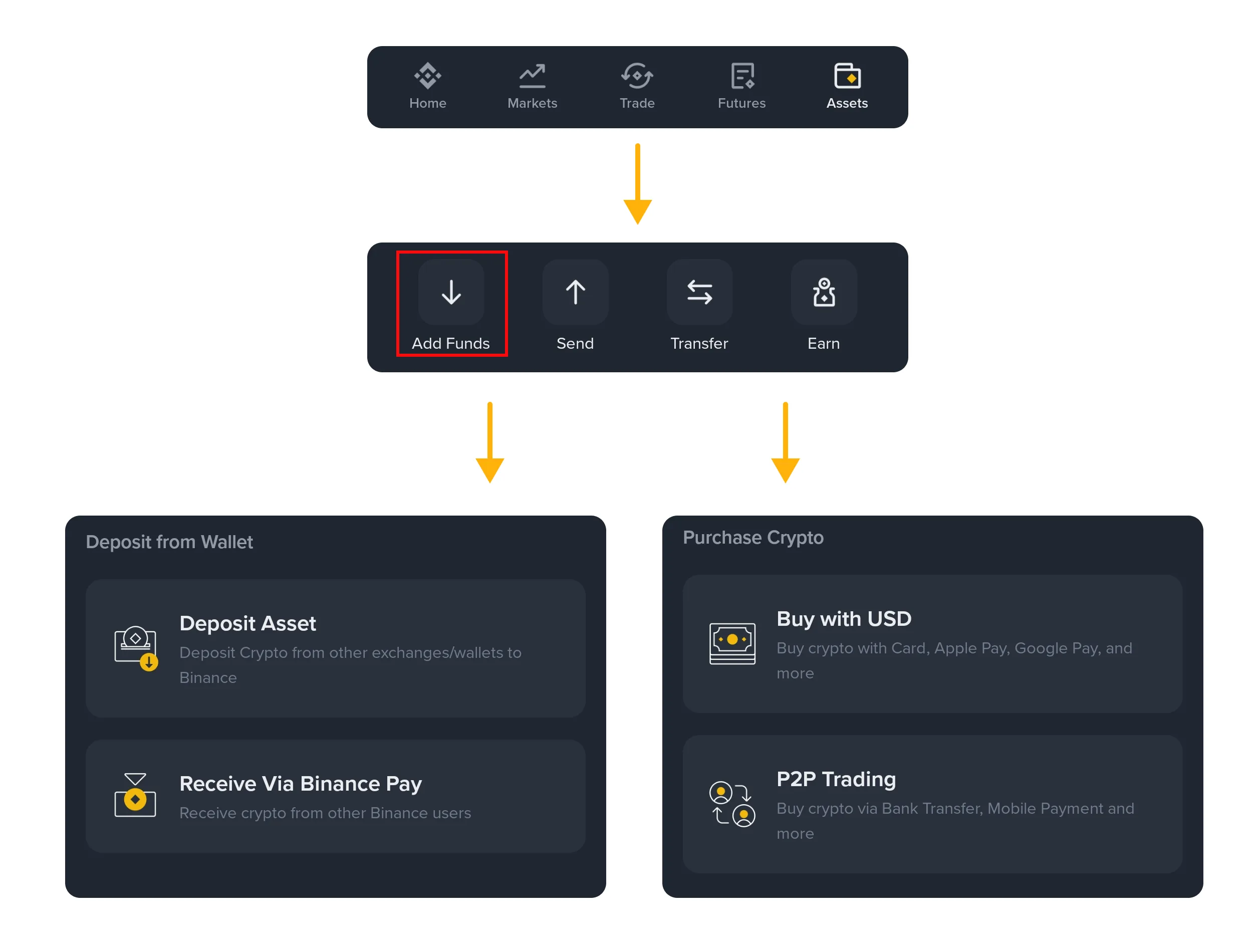
Once the funds are on the exchange, make sure they have arrived in the "Spot wallet" account.
To do this, in the "Assets" section, open "Transfer", select "Spot wallet" as the destination, and "Funding" as the source.
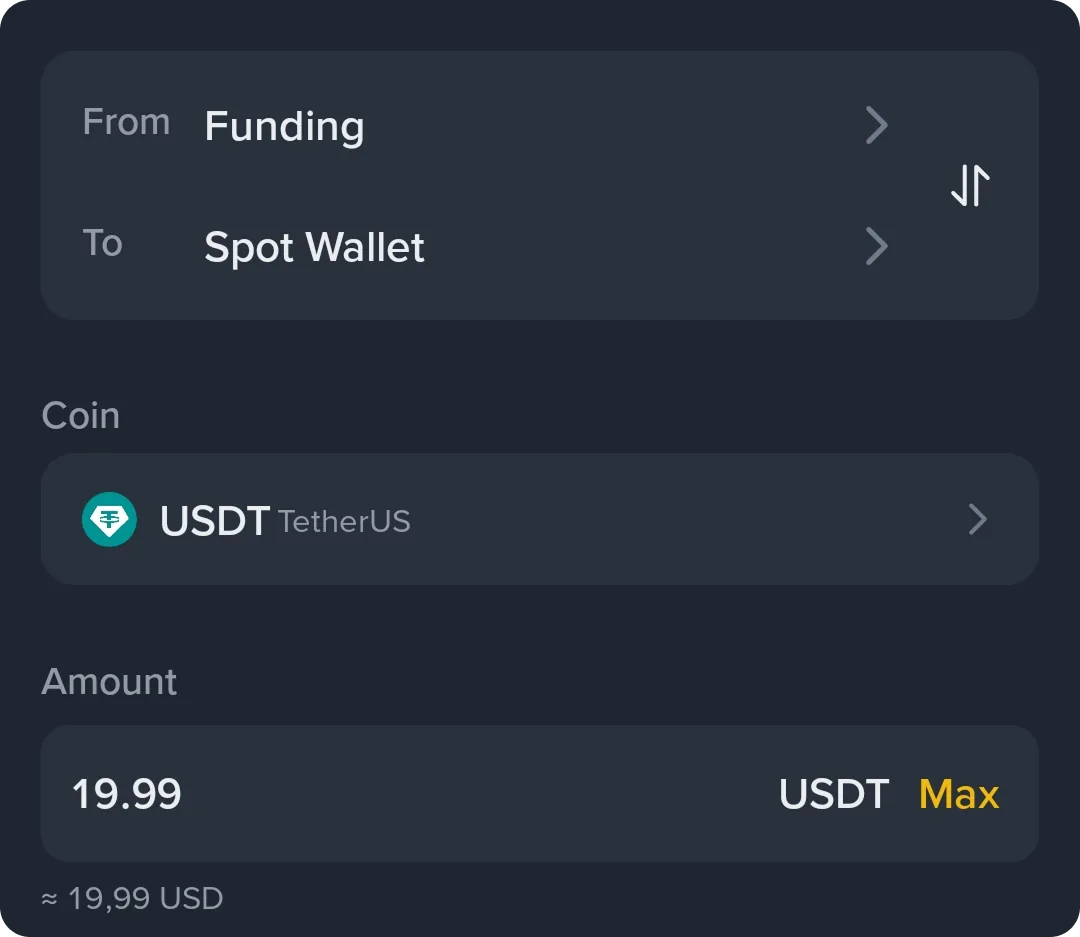
If assets are stuck at the deposit stage, you will see this in the transfer interface and can move the assets to the required account with one click.
Congratulations on your first crypto stock in your portfolio! #
Return to the course to complete your studies faster.