

This guide walks you through creating a Binance account and verifying your identity. Verification unlocks deposits, trading and withdrawals, and the whole process usually takes about 10 minutes.
Before you start #
Check that Binance is available in your country of residence. Registration is closed in some countries and regions, and the list is in the Binance Terms of Use.
Prepare an ID document: a passport, national ID card or driver’s license.
Keep your phone at hand: the face check is easiest to do with the front camera in the Binance app.
Sign up from your real location. A VPN can cause errors during registration or problems with verification later.
How to create a Binance account #
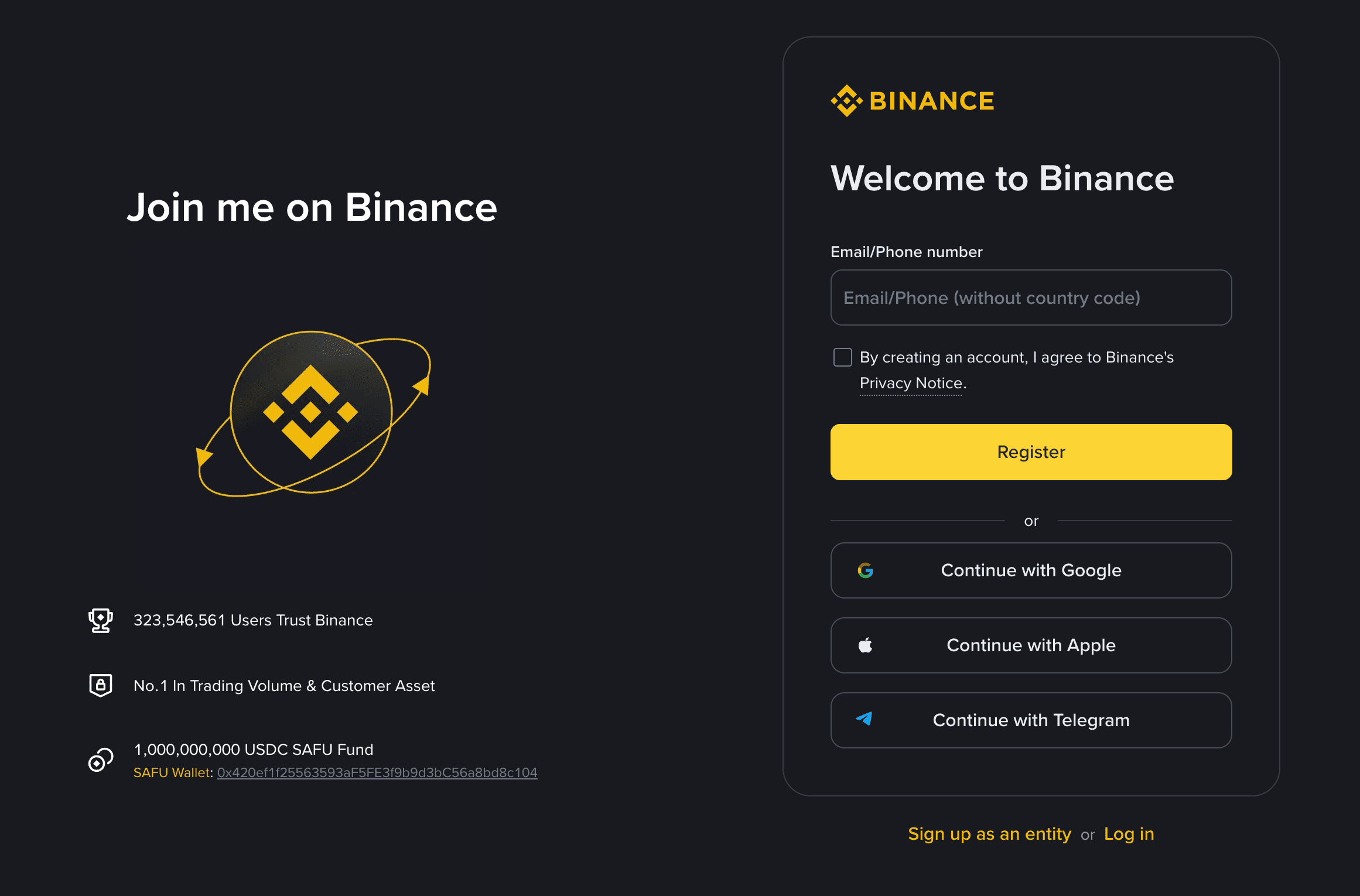
Open the sign-up page: https://www.binance.com/register?ref=OANEW99
Enter your email or phone number, tick the box to accept the Privacy Notice and click Register. You can also sign up with Google, Apple or Telegram.
Enter the verification code Binance sends to your email or phone, then create a strong password.
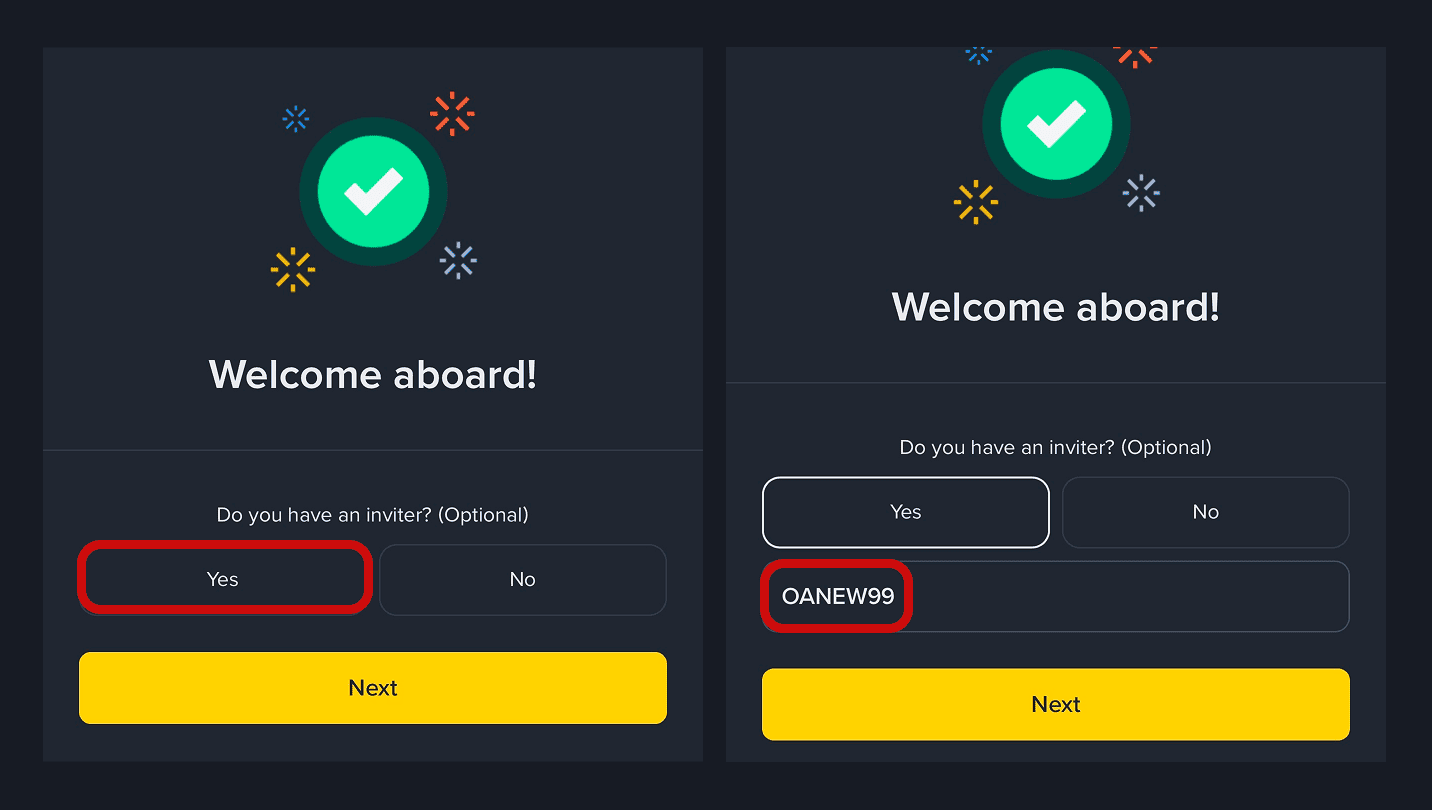
If Binance asks Do you have an inviter?, choose Yes and enter the code OANEW99 as a thank-you for this guide. This step is optional.
How to verify your identity #
Open the Binance app, tap the profile icon and go to Verification. On the website, it is in the account menu at the top right.
Select your country of residence, then the country that issued your document and the document type.
Fill in your personal details exactly as they appear in the document.
Take photos of your document. Make sure all corners are visible, the text is sharp and there is no glare.
Complete the liveness check: look into the front camera and follow the on-screen prompts.
Some countries also ask you to confirm your address. Enter your residential address and, if requested, upload a document that shows it, such as a utility bill or bank statement.
The review usually takes a few minutes but can take up to a few days. Binance will notify you by email and in the app once your account is verified.
After verification #
Turn on two-factor authentication. In Security, link an authenticator app or a passkey: this protects your account even if someone learns your password.
Add funds. Tap Deposit to top up your account with crypto or buy it with a card.
Never share your codes. Binance support will never ask for your password, verification codes or 2FA codes.